
Free online converter · No signup
MP4 to text converter online
Convert MP4 video into clean text, editable Word documents, or timed subtitles directly in your browser. No signup required. Privro runs Whisper speech-to-text on your device, so your video never uploads to Privro servers. Export formatted DOCX, PDF, TXT, SRT, VTT, or spreadsheet files the moment transcription finishes.
Runs in your browser. No upload for local transcription. The transcriber loads when you click.
Input: MP4 with speech. Free online, no signup. Exports: Word (DOCX), PDF, TXT, SRT, VTT, Excel (XLSX), CSV, and JSON.
How to use the tool
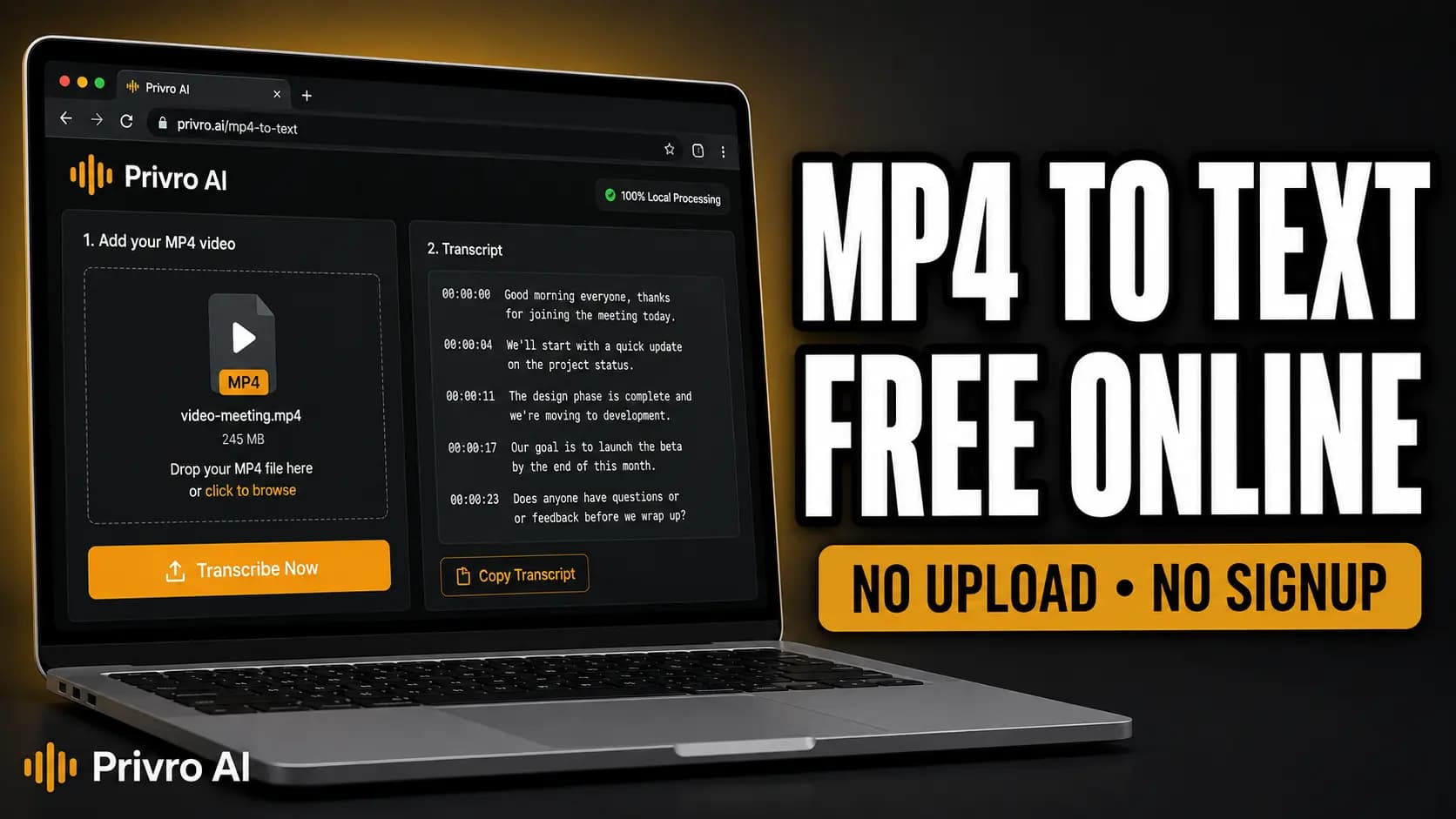
Watch how to convert an MP4 to text for free with Privro AI. Whisper runs in your browser with no signup and no upload for local transcription.
Tips before you convert an MP4
Video containers hold multiple tracks. Here is how to get the cleanest text.
The MP4 needs speech audio
MP4 is a video container. Whisper reads the audio track inside your file, so you do not need to extract audio first. Note that a silent screen recording will produce an empty transcript.
Phone and social clips work directly
Camera roll exports, Zoom recordings, Loom videos, and downloaded social clips are usually standard MP4s. Drop the file straight in without converting or re-encoding.
Choose the export built for your task
Download DOCX or TXT if you want to edit and format notes in Word or Google Docs. Choose PDF for sharing read-only transcripts. Use SRT or VTT for video captions.
How to use this free MP4 to text converter
- 1
Open the converter
Click Convert MP4 to text free on this page. The tool loads directly in your browser without requiring an account or email.
- 2
Add your MP4
Drop or select an MP4 containing speech. The converter reads the audio track directly from the video. For local jobs, your file stays on your device.
- 3
Run Whisper transcription
Start speech-to-text in your browser. Processing runs on your device's hardware, taking only a fraction of the video's total duration on modern laptops.
- 4
Export Word, PDF, or subtitles
Choose your format: download DOCX for Microsoft Word, PDF for formatted reading, SRT or VTT for video captions, or TXT and CSV for raw text and data.
What is an MP4 to text converter?
An MP4 to text converter extracts spoken audio from video files and turns it into readable text documents or timed caption sidecars. People use it to turn webinars into Word documents, convert lectures into study PDFs, create YouTube captions, and generate meeting minutes. Privro provides free in-browser transcription powered by OpenAI Whisper, letting you export DOCX, PDF, TXT, and subtitle files in one quick session.
Online conversion without sending the file to Privro
"Online" here means the converter runs inside your browser using WebAssembly. For local transcription, Privro does not upload your MP4 to any server, keeping proprietary footage, private meetings, and confidential interviews secure on your device. You still need legal rights to the media you transcribe; Privro does not grant copyright permissions.
- No signup or account required
- No video upload to Privro for local processing
- Export editable Word (DOCX), PDF, subtitles (SRT, VTT), or TXT
Why choose Privro for this job
Free online, no signup
Open the page, drop an MP4, and start transcription immediately. No registration, paywalls, or trial countdowns.
Local Whisper processing
Speech-to-text runs directly in your browser. Your video file stays on your computer and is never sent to Privro servers.
Word, PDF, and text exports
Export formatted Microsoft Word (DOCX) files, clean PDF documents, plain TXT, or structured spreadsheets (CSV/XLSX).
SRT and VTT subtitles included
Need timed captions for YouTube, Premiere, or VLC? Export standard SRT or WebVTT sidecar files with millisecond accuracy.
Common use cases
YouTube and social captions
Turn an MP4 video into timed SRT or VTT subtitles without paying for cloud transcription minutes or waiting in queue.
Meetings to Word & PDF notes
Convert recorded Zoom, Teams, or Meet MP4 calls into structured Word documents or shareable PDFs while preserving company confidentiality.
Lectures and webinar summaries
Pull spoken explanations from lecture and presentation MP4s into clean TXT or DOCX files for fast studying and review.
Interviews and video production
Transcribe footage into timestamped text for fast paper edits, quote verification, and dialogue logging.
Local Privro vs typical cloud tools
| Feature | Privro (local) | Typical cloud tool |
|---|---|---|
| Signup | No signup for local use | Often forces an account or trial |
| Where processing happens | In your browser on your device (local tools) | Upload to vendor servers |
| Price for local jobs | Free online transcription | Free tier, then minutes or a subscription |
| Export formats | DOCX, PDF, TXT, SRT, VTT, XLSX, CSV, JSON | Often limited to a few formats or paywalled |
Cloud tools can still win for team collaboration or very long files on weak hardware. Pick based on the job.
Supported languages
Privro uses OpenAI Whisper (99 languages). Set the source language in the tool, or use auto-detect when it is available. Common languages include:
- English
- Chinese
- German
- Spanish
- Russian
- Korean
- French
- Japanese
- Portuguese
- Turkish
- Polish
- Catalan
- Dutch
- Arabic
- Swedish
- Italian
- Indonesian
- Hindi
- Finnish
- Vietnamese
- Hebrew
- Ukrainian
- Greek
- Malay
- Czech
- Romanian
- Danish
- Hungarian
- Tamil
- Norwegian
- Thai
- Urdu
- Croatian
- Bulgarian
- Bengali
- Persian
- Tagalog
- Swahili
- Marathi
- Gujarati
Tips for better accuracy
Clear speech beats heavy music
Whisper needs audible speech. Loud background music or overlapping speakers cut accuracy. Choose videos where dialogue is distinct.
Set the language when you know it
Selecting the spoken language manually rather than relying on auto-detect reduces initial model confusion and lowers word error rates.
Short silent clips look empty
One-word clips or long silence stretches can produce sparse outputs. Sustained spoken passages transcribe far more reliably.
Skim captions before you publish
Check proper names, technical acronyms, and subtitle line breaks in your SRT or Word file before uploading to video platforms.
Related tools
Frequently asked questions
How do I convert MP4 to text for free?
Click Convert MP4 to text free on this page, then drop your MP4 file. Whisper transcribes the spoken audio in your browser. Once finished, download your transcript as Word (DOCX), PDF, TXT, or SRT with no signup required.
Can I convert MP4 to Word (DOCX) or PDF?
Yes. Once your MP4 is transcribed, choose DOCX to open and edit the text in Microsoft Word or Google Docs, or select PDF for a clean, shareable document ready for printing or archiving.
Can I convert MP4 to SRT or VTT subtitles?
Yes. The converter generates timed subtitle sidecars (SRT and WebVTT) with precise start and end timestamps. You can upload these directly to YouTube, Vimeo, or video editors like Premiere and DaVinci Resolve.
What export formats are supported?
You can export eight formats: Microsoft Word (DOCX), PDF, Plain Text (TXT), SubRip (SRT), WebVTT (VTT), Excel (XLSX), CSV, and JSON. All export formats are available for free in the same session.
Does converting an MP4 upload my video to external servers?
No. For local transcription, speech-to-text processing executes directly in your browser on your device using WebAssembly. Your MP4 never leaves your computer or uploads to Privro servers.
Is this safe for private, legal, or proprietary MP4 files?
Because your media stays on your local device, confidential interviews, proprietary business presentations, and sensitive recordings remain private. You must hold the appropriate rights to the content you transcribe; Privro does not grant copyright permissions.
Convert your MP4 to text, Word, or subtitles free
Open the online converter on this page. No signup, no quotas, and no uploads for local transcription.