
Free online tool · No signup
Free local transcription online
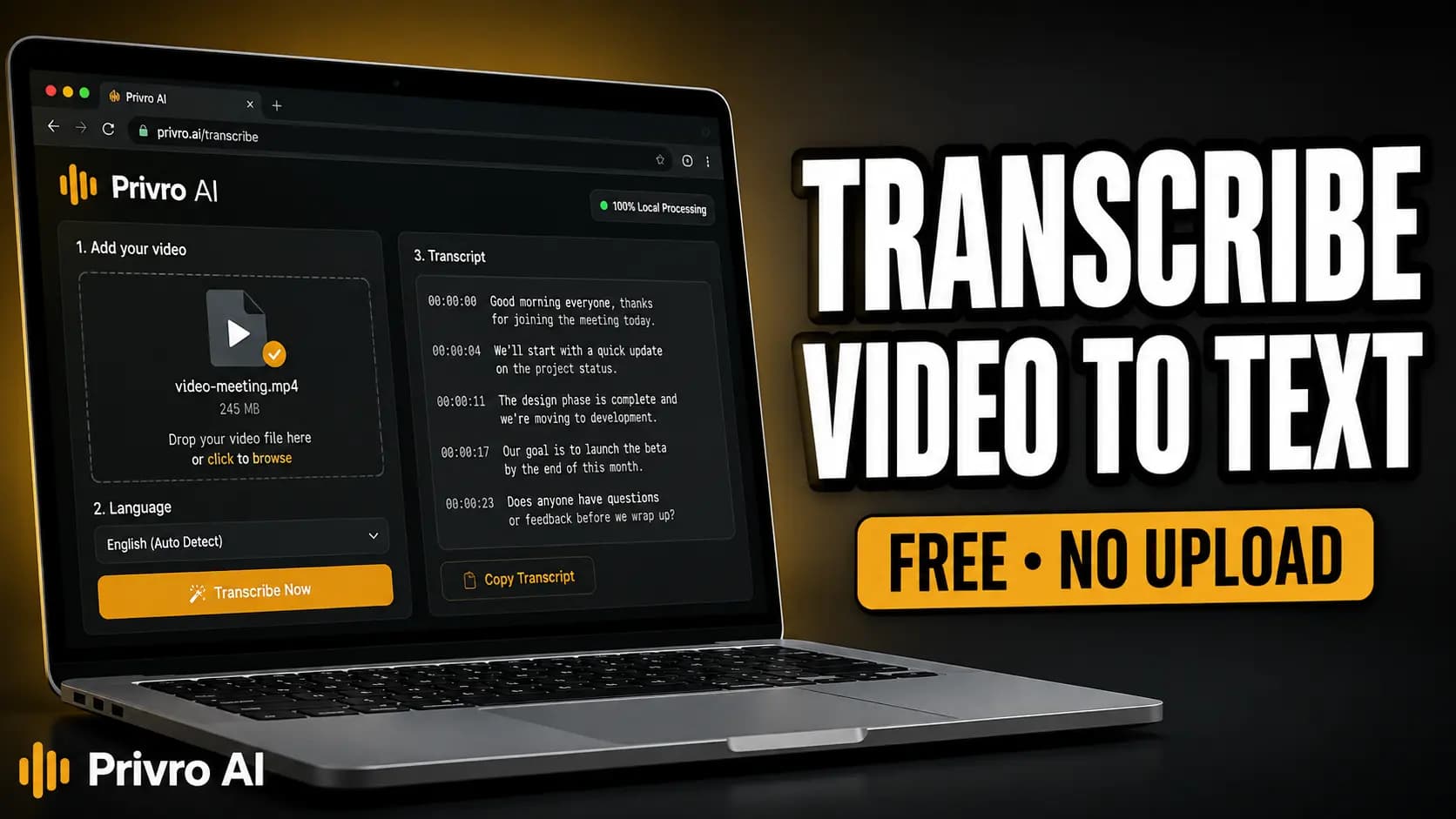
Transcribe audio and video for free in your browser with no signup. Privro runs Whisper AI directly on your device, meaning your recordings never upload to external servers. Export clean Word documents (DOCX), PDFs, timed subtitle sidecars (SRT, VTT), or spreadsheet tables (XLSX, CSV) the moment processing finishes.
Runs in your browser. No upload for local transcription. The transcriber loads when you click.
Audio (MP3, WAV, M4A, AAC, OGG, FLAC, OPUS, WEBM), video (MP4, WEBM, MOV), URL, or mic. Free online, no signup. Exports: Word (DOCX), PDF, TXT, SRT, VTT, Excel (XLSX), CSV, and JSON.
Video tutorial on how to use the tool
Watch how to transcribe audio or video for free with Privro AI. Whisper runs in your browser with no signup and no upload for local transcription.
Transcribe by format
Same local tool, with tips for specific file types.
Tips before you start
A clean speech track matters more than the container type.
Audio or video both work
Drop an MP3, WAV, M4A, or a video file with speech. The tool reads the spoken track directly. A silent screen recording will not give you a useful transcript.
Meetings and voice notes are common inputs
Zoom or Meet recordings, phone voice memos, and interview files all work if the speech is audible. You do not need a separate audio export when the video already has a speech track.
Match your export format to the job
Download DOCX or TXT if you want to edit and format notes in Microsoft Word or Google Docs. Choose PDF for clean printing and distribution. Export SRT or VTT when you need timed captions for video.
How free online transcription works here
- 1
Open the transcriber
Click Start free transcription on this page. The tool loads directly in your browser without requiring an account or email.
- 2
Add audio or video
Drop a file with spoken audio, paste a direct media URL, or record from your mic. You do not need a separate audio export if your video already contains a speech track.
- 3
Run Whisper
Start speech-to-text on your device. Processing runs on your local hardware, so performance depends on your computer and the recording duration.
- 4
Export Word, PDF, or subtitles
Download DOCX for an editable Word document, PDF for read-only sharing, SRT or VTT for video subtitles, or TXT, CSV, and XLSX for raw text and data.
What you can import and export
Drop a recording, paste a direct media link, or record from your microphone. Whisper processes the spoken track directly in your browser. When finished, choose the format you need: formatted documents (DOCX, PDF, TXT), timed video subtitles (SRT, VTT), or structured data tables (XLSX, CSV, JSON) all from the same session.
Audio
Video
Other sources
Export
Why choose Privro for this job
Free online, no signup
Open the page, add audio or video, and run transcription immediately. No account wall, registration, or credit card required.
Local Whisper AI
Speech-to-text runs entirely in your browser using WebAssembly. Your files are never uploaded to Privro servers for local transcription.
Audio and video inputs
Transcribe MP3, WAV, M4A, AAC, OGG, FLAC, OPUS, WEBM, video with speech (MP4, WEBM, MOV), mic recordings, and direct media URLs.
Word, PDF, and subtitle exports
Export Microsoft Word (DOCX) files, formatted PDFs, plain text, timed SRT/VTT captions, or Excel sheets without switching tools.
Common use cases
Meeting and interview transcripts
Turn recorded meetings, Zoom calls, and client interviews into searchable Word documents and PDF summaries while keeping data on your device.
Voice notes to Word and PDF
Convert phone voice memos, lectures, and spoken thoughts into clean, editable text documents ready for publishing.
Video to text and captions
Extract spoken dialogue from video files into clean transcripts or timed SRT captions. For MP4-specific conversion, use the MP4 to text page.
Freelance and research audio
Transcribe client interviews, podcasts, and field recordings into DOCX or TXT without burning cloud credits or breaching confidentiality.
Local Privro vs typical cloud tools
| Feature | Privro (local) | Typical cloud tool |
|---|---|---|
| Signup | No signup for local use | Often forces an account or trial |
| Where processing happens | In your browser on your device (local tools) | Upload to vendor servers |
| Price for local jobs | Free online transcription | Free tier, then minutes or a subscription |
| Export formats | Word (DOCX), PDF, TXT, SRT, VTT, XLSX, CSV, JSON | Often restricted to TXT or locked behind paid plans |
Cloud tools can still win for team collaboration or very long files on weak hardware. Pick based on the job.
Supported languages
Privro uses OpenAI Whisper (99 languages). Set the source language in the tool, or use auto-detect when it is available. Common languages include:
- English
- Chinese
- German
- Spanish
- Russian
- Korean
- French
- Japanese
- Portuguese
- Turkish
- Polish
- Catalan
- Dutch
- Arabic
- Swedish
- Italian
- Indonesian
- Hindi
- Finnish
- Vietnamese
- Hebrew
- Ukrainian
- Greek
- Malay
- Czech
- Romanian
- Danish
- Hungarian
- Tamil
- Norwegian
- Thai
- Urdu
- Croatian
- Bulgarian
- Bengali
- Persian
- Tagalog
- Swahili
- Marathi
- Gujarati
Tips for better accuracy
Clear speech beats heavy music
Whisper needs audible speech. Loud music or overlapping talkers cut accuracy. If you want a rumble while you review the transcript, play a brown noise generator in another tab, not into the mic.
Set the language when you know it
Wrong language selection raises word error rate. Pick the spoken language when you can.
Short silent clips look empty
One-word clips or long silence stretches often look incomplete. Longer spoken passages transcribe more cleanly.
Skim captions before you publish
Check SRT or VTT for names, jargon, and timing before you ship them.
Related tools
Frequently asked questions
Is this transcription free with no signup?
Yes. Local transcription is free online with no signup. Open the tool on this page and run it in your browser.
Does my audio or video get uploaded?
No. For local transcription, processing happens in your browser on your device. Files are not uploaded to Privro for that workflow.
What formats can I export after transcription?
You can export eight formats from one session: Microsoft Word (DOCX), PDF, Plain Text (TXT), SubRip (SRT), WebVTT (VTT), Excel (XLSX), CSV, and JSON. All export formats are included for free.
Can I transcribe audio or video directly to Word or PDF?
Yes. Once transcription finishes, click DOCX to open and edit the transcript in Microsoft Word or Google Docs, or select PDF to save a clean, formatted document for reading and printing.
What inputs does the free transcriber support?
Audio: MP3, WAV, M4A, AAC, OGG, FLAC, OPUS, WEBM. Video: MP4, WEBM, MOV when the file has a speech track. You can also paste a direct media URL or record from your microphone. Pick the source language when you know it for better accuracy.
Can I do free online audio to text transcription?
Yes. Drop an MP3, WAV, M4A, or other audio file with speech, run Whisper, then export as Word (DOCX), PDF, TXT, or another format. No account or signup needed.
Does this support free online video to text transcription?
Yes, as long as the video contains an audible speech track. You can export a readable Word/PDF transcript or timed SRT/VTT subtitles from the same session. For MP4-specific workflows, visit the MP4 to text converter.
Is this Whisper online transcription free?
Yes. Privro runs OpenAI Whisper in your browser for local tools. You use it online without creating an account for that workflow.
Can I transcribe meetings, voice notes, or MP3 files?
Yes. Meeting recordings, voice memos, MP3s, and other audio files work when speech is audible. Pick the source language when you know it for better accuracy.
Can freelancers use this for client audio?
Yes. Freelancers often need transcripts for interviews, podcasts, and client videos. Local processing keeps those files on your device. Privro is a transcription tool, not a freelance job board.
Start free transcription to Word, PDF, or subtitles
Open the tool on this page. No signup, no usage quotas, and no file uploads for local transcription.